Set Builder drafts an order of your tracks for a length and a tempo range. You can type what you want in words, or just set the numbers.
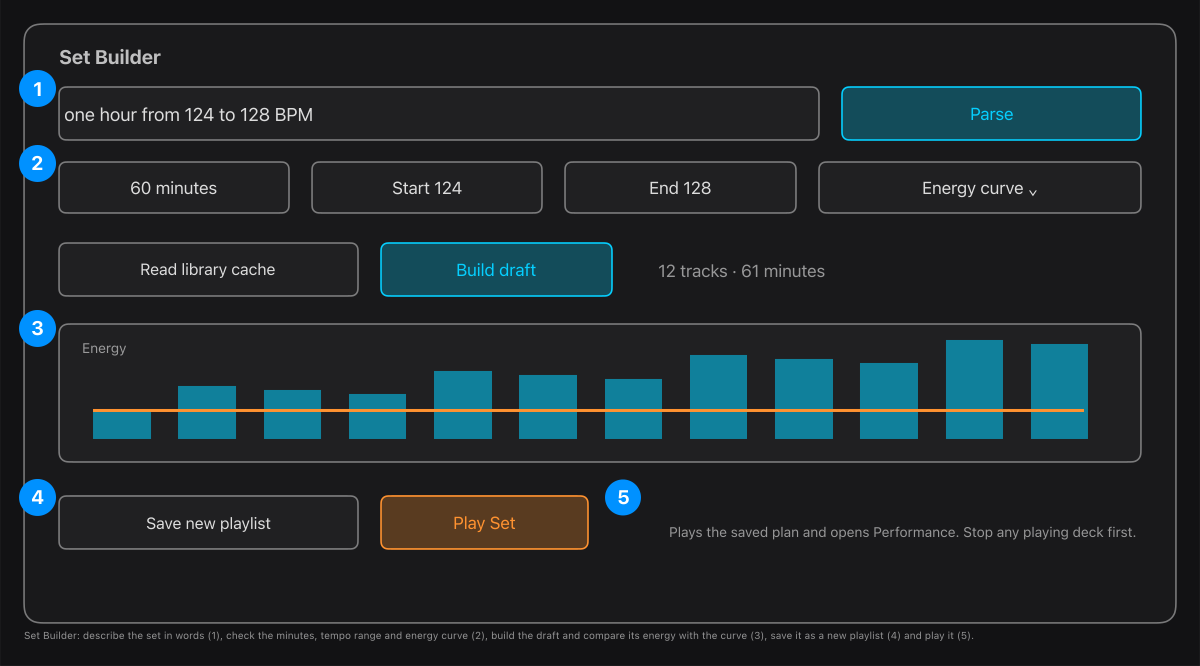
- Describe it, for example one hour from 124 to 128 BPM, and press Parse with Apple Intelligence. It fills in minutes, start and end BPM and the energy curve. Without Apple Intelligence, set them by hand.
- Check the numbers: minutes, Start BPM, End BPM and the Energy curve.
- Read library cache loads what is already measured, then Build draft chooses and orders tracks. The chart compares each track's energy with the curve you asked for.
- It reports the requested and the planned length and warns if they differ by more than a minute. Parts of a request it cannot do (a genre or an artist, for example) are listed for you to check, not hidden.
- Save new playlist makes a playlist and a Set with that order. Play Set then plays the planned mixes and opens Performance. Stop any playing deck first.
Nothing starts playing when you save. Changing a number after building asks you to build again before saving or playing.
Tip. The draft is a good starting order, not a guarantee: the length can be a little off, and the last track is not trimmed. Open the Set in Set Director to look at each transition.