A/B TEKNIQ is a DJ app for Mac and iPad. It reads your music, finds the tempo, beats and sections of each track, and has a LIVE DIRECTOR that plans mixes between tracks the way a DJ would.
You can mix by hand on two decks, let the Director plan a mix for any two tracks, or plan a whole set and let it play.
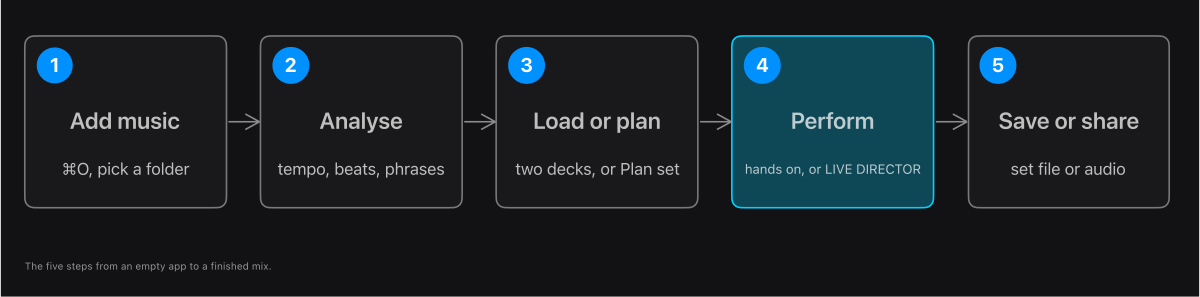
- Add the folder that holds your music (⌘O).
- Let the app analyse your tracks: it finds the tempo, the beats and the phrases.
- Load two tracks on the decks, or choose a set and press Plan set.
- Mix by hand on the Performance screen, or let LIVE DIRECTOR play the plan.
- Save the set, or share it as one audio file.
In the app: Add music: open the Library